In the Box
Camera
FLEX Series
Antenna
& Gasket*
*No gasket for FLEX-M
2 SIM cards
Pre-activated and inserted
(do not remove)
Charging
Cable*
*FLEX-S and FLEX-S-DARK only


FLEX Series
*No gasket for FLEX-M
Pre-activated and inserted
(do not remove)
*FLEX-S and FLEX-S-DARK only
8 AA lithium non-rechargeable batteries or LIT-22 rechargeable lithium battery pack
FLEX-PLUS only:
8-16 AA lithium non-rechargeable batteries
and/or
1-2 LIT-22 rechargeable lithium battery pack
*Optional for FLEX-S and FLEX-S-DARK
Check out all power sources.
Ultra-high speed microSD card 2 to 512 GB • Class 10
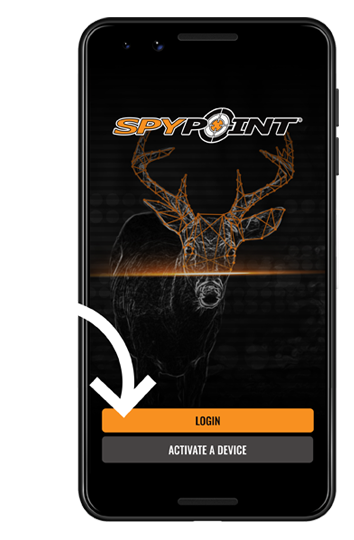
Login to the app with your account information or Create an account
with the SPYPOINT APP installed
Available on the latest versions of iOS and Android


While the camera is off, plug the 12V charging cable to the camera for approximately 12 hours. The status light will illuminate red while charging and turn off when fully charged.
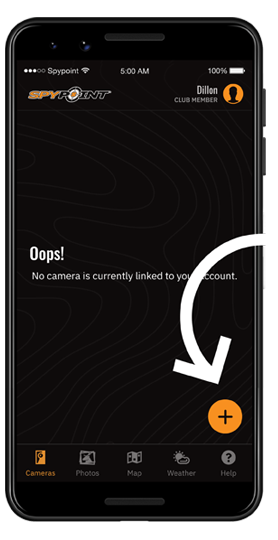
Press the "+" button in the Cameras tab. Follow the instructions on the screen to add your cameras.
Insert the tray(s) following the arrow orientation.

Turn on the camera and immediately hold down the FORMAT button for 5 seconds. Format is complete when the FORMAT light is solid.
Learn how to format

The first-time start-up sequence may take up to 15 minutes. Your camera is ready when all lights have turned off.
What the LED light patterns mean.Turn on the camera and immediately hold down the FORMAT button for 5 seconds. Format is complete when the FORMAT light is solid.
Learn how to format
The first-time start-up sequence may take up to 15 minutes. Your camera is ready when all lights have turned off.
What the LED light patterns mean.
Enjoy the free 100-photo plan or upgrade it to get 250, 1000 or unlimited detections.
Subscribe on SPYPOINT siteKeep your camera off until you are ready to install it in the field.

If your camera hasn't reported within 30 min., follow these support steps or contact us

If your camera hasn't reported within 30 min., follow these support steps or contact us

If your camera hasn't reported within 30 min., follow these support steps or contact us
If your camera hasn't reported within 30 min., follow these support steps or contact us
Use: Installation strap
Orientation: North or South
Height: Subject’s mid-body
Lens sight: No leaves, branches or tall grass in front
For the FLEX-S & FLEX-S-DARK only – install your camera in a location where the solar panel will receive at least four hours of direct sunlight.

to verify communication and signal.
Move in front of the camera to trigger it. Check your app for the new photo before leaving the area.
From the gallery view, select the video file you think you want to request. This will show you the animated preview in the single file view.

If you wish to see the full video, in the top right corner, tap the button that reads “GET FULL‑HD VIDEO.” This will request the full-length video replace the animated preview at the next transmission.

When you open the gallery view after that transmission you can find that file and go to single file view, or you can filter by full-length videos and select it there.

Press play on the thumbnail in the single-file view to watch the full-length video.
